



Guide
How to isolate voice from music, noise and video
Separation, not subtraction: how voice isolation works
A voice isolator keeps the speech and moves everything else to a second layer, so it handles sound that changes, like crowds, TV and music, not just steady hum.
A classic noise remover estimates the noise and subtracts it, which is ideal for air-con and hiss. An isolator works the other way round: it models what a human voice sounds like and keeps only that, so it copes with a busy café or street. It acts as an audio voice isolator for MP3, WAV and M4A files and on a video’s soundtrack.
How much background to leave behind the voice
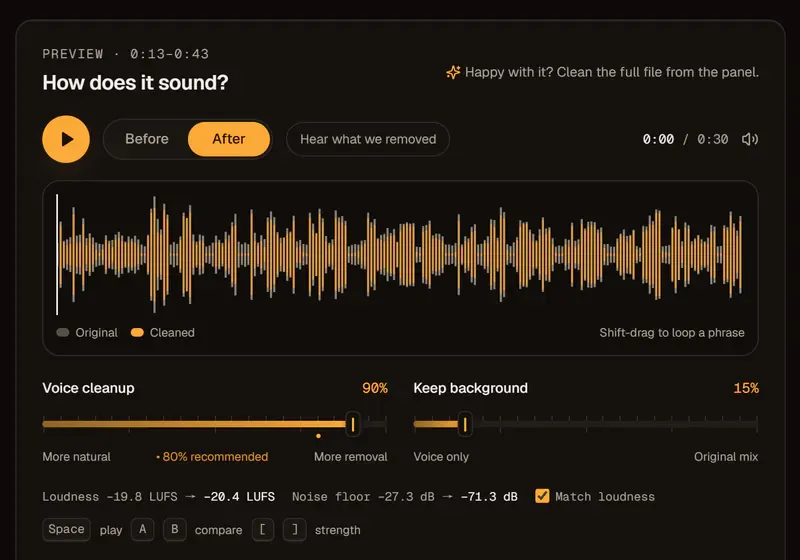
For video, a little of the original background usually sounds more natural than none.
Total silence behind a voice in a busy scene reads as fake, and cuts become obvious when the room tone jumps. Keep the same touch of background across a scene.
| Scene | Keep background | Why |
|---|---|---|
| Podcast or voice-over | 0% | No scene to preserve |
| Interview on location | 10–20% | Keeps the place believable |
| Event or vlog | 20–35% | The atmosphere is part of the story |
| Dialogue for a film edit | 0%, then add room tone in your editor | Full control in the final mix |
Can a voice isolator split two people talking at once?
No. If speakers overlap on one microphone, both voices stay together; people who take turns are fine.
Separation works on voice versus everything else, not voice versus voice, so record each person on their own mic or phone when you can.
Voice or vocal isolator: speech, not songs
audio2clean is a voice isolator for spoken voice, not a vocal isolator for studio-grade acapellas.
Also remove music can lift a voice off a music bed, but the tool is tuned for talking, not singing. You can try it as a vocal isolator free for 30 seconds; for vocals or instrumentals from songs, use our sister site, track2master.com.